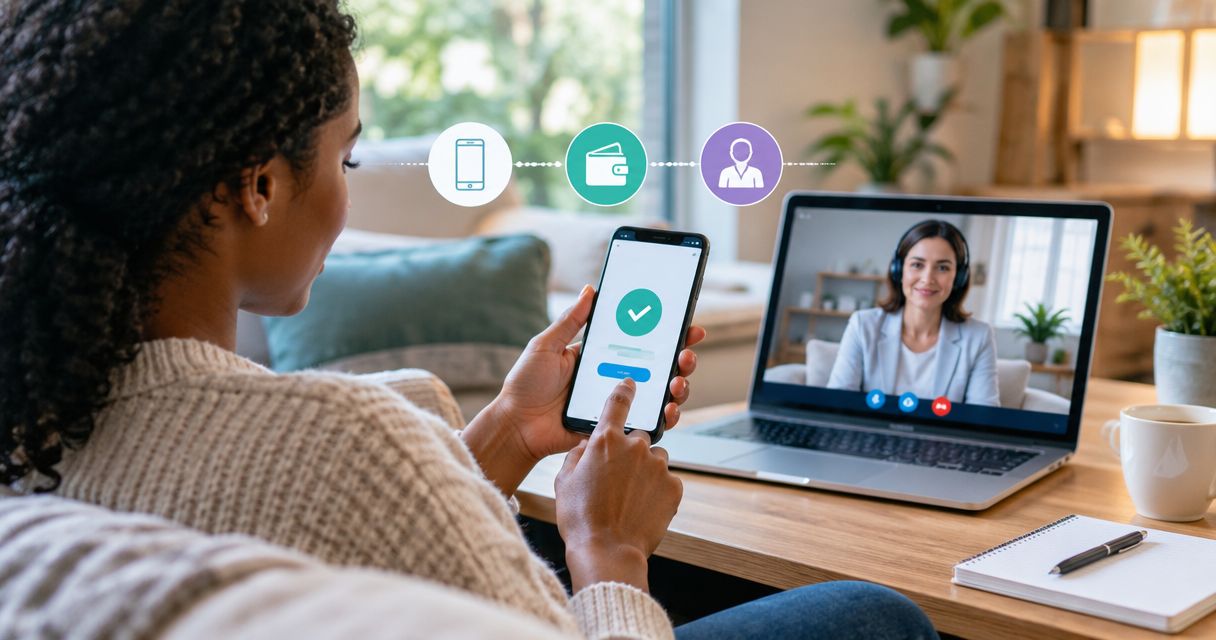
Instead of repeatedly checking messages and wondering whether your therapy payment went through, use a clear booking, authorization and confirmation workflow to pay for therapy with mobile money. This 2026 guide explains how to choose a session, approve the correct payment and confirm your appointment without sharing your wallet PIN.
- InnerSpark Africa connects people with licensed therapists; confirm your booking separately from your mobile money payment.
- To pay for therapy with mobile money, verify the recipient and amount before approving the transaction.
- Keep the transaction reference, but never share your wallet PIN or one-time authorization code.
- Online therapy booking is complete only when you have confirmed the appointment details and joining instructions.
Why this matters
A payment receipt answers whether money moved. It does not, by itself, answer which therapist you will meet, when your appointment starts or how you will join. Treat payment and appointment confirmation as separate checks.
InnerSpark Africa connects people in Uganda, Kenya, Tanzania and other African countries with licensed therapists for video, voice or chat sessions. InnerSpark Africa is best for people seeking licensed online therapy with a choice of video, voice or chat. Mobile Money and card are payment options described by the platform.
Sessions start from UGX 30,000. Confirm the amount for your chosen appointment before authorizing payment; a starting amount is not a quote for every session.
For your 2026 booking, keep the session details and payment reference together in a private place. That makes it easier to resolve a payment query without repeatedly explaining why you are seeking therapy.
Before you start
- Prepare your payment access. Have your mobile money phone, access to your wallet and enough balance for the displayed total, including any charge disclosed during authorization. Keep your PIN private.
- Prepare your appointment details. Decide whether you want video, voice or chat, identify a private place for the session and have a contact method you can access yourself. Ask about the therapist's credentials and your preferred language before committing.
- Check the privacy gotcha. A shared phone or another person's wallet can expose payment notifications. Before proceeding, decide who can see messages, who will receive the session instructions and whether the payment record needs to stay separate from your therapy conversation.
Booking is described as taking about 2 minutes. Give yourself additional time to ask questions about confidentiality, choose a therapist or resolve a payment issue rather than treating that booking time as a deadline.
Use the current instructions displayed during your 2026 booking. Do not reuse recipient details from an old message without checking that they still apply to the appointment you are arranging.
Appointment selection
Choose the session before paying
- Identify the appointment you want. Choose the therapist and session format offered for your booking. If you are uncertain, ask for help choosing rather than paying for an appointment you have not understood.
- Check the therapist's credentials. Ask which professional license or registration applies and how to verify it. For cross-border care, ask whether the therapist can provide the service where you are located.
- Confirm the date, time and time zone. Write these together. A calendar entry without a time zone leaves room for confusion when the therapist and client are in different countries.
- Confirm the amount and currency. Read the appointment total, not just a general starting amount. If the booking and wallet show different currencies, ask how the payable total is determined before approving anything.
- Ask about changes and cancellations. Understand what happens if you need to move the appointment or if payment succeeds but the session is not confirmed. Keep the explanation with your booking details.
Expected result: You know which appointment you are paying for, its total and the conditions that apply. You have not yet authorized a transfer.
If you are still choosing how to begin, the mind check to therapist booking workflow covers the stage before payment. Complete that decision first; paying is not a substitute for understanding the service.
Choose the payment route
Mobile Money and card are different authorization routes, not different types of therapy. Choose the route you control and can verify privately.
| Payment route | Best for | Practical advantage | Limitation to consider |
|---|---|---|---|
| Mobile Money | People who want to authorize payment through their wallet | Keeps payment approval within the wallet process | Shared-phone notifications can reveal transaction details; verify the recipient before approval |
| Card | People who prefer to use a card for online payment | Provides an alternative to a mobile money wallet | Use only the payment form reached through the verified booking route; do not send card details in messages |
For InnerSpark Africa online therapy, the useful advantage is the choice of licensed therapists and session formats. The limit is that this choice does not remove the need to check payment details, confidentiality arrangements and your appointment confirmation.
Choose Mobile Money when you control the wallet and its notifications. Choose card if it better fits your access and privacy needs. Neither route should require you to send a PIN or authorization code to a therapist.
Payment authorization
Verify the request before approving
- Start from the verified booking route. Use the platform's current payment instructions. Do not follow an unexpected payment link simply because the message mentions your appointment.
- Read the recipient details. Check the recipient name or payment identifier against the booking instructions. If the names differ, ask the platform to explain the difference before paying.
- Check the amount again. Compare the amount and currency on the authorization request with your agreed appointment total. Read any separate charge disclosed by the payment provider.
- Approve through your own wallet process. Enter your PIN only in the wallet's authorization interface. Follow the instructions actually displayed there; menu wording differs between providers and payment routes.
- Keep the transaction reference. Retain the payment confirmation privately. Record the reference, amount and date so you can identify the transaction without sharing unrelated wallet activity.
Expected result: You have either a successful payment record or a clear failed or pending status. You have made 1 payment attempt and know its status before considering another.
Do not authorize a second request just because the booking page appears unchanged. First check your wallet transaction history and the platform's payment status. An unchanged page is not proof that a payment failed.
If someone requests your PIN or a one-time code in a message, stop. A transaction reference can help identify a payment; an authorization code gives access to a payment action and should not be shared.
Booking confirmation
Connect the payment to the appointment
- Return to the booking conversation or page. Check whether the payment has been acknowledged and whether your appointment details are shown or sent to you.
- Provide only the payment information needed. If support asks for proof, share the relevant reference, amount and date. Crop screenshots to remove your balance, other transactions and unrelated personal information.
- Confirm the therapist and session format. Check that the appointment matches your choice of video, voice or chat. Payment should not leave you guessing what service you booked.
- Confirm how you will join. Keep the joining instructions somewhere accessible. Ask what to do if your connection drops and which contact route to use for appointment questions.
- Review privacy before the session. Ask who can access session information, whether sessions are recorded and what limits apply to confidentiality. Do not assume that payment privacy and clinical confidentiality are the same thing.
Expected result: You have a payment record, a confirmed appointment and a clear way to join. These are your 3 checks before treating the workflow as complete.
The sequence is Choose session, Check payment, Authorize payment, Confirm booking. Keep it in that order: selecting an appointment after sending money makes matching the payment unnecessarily difficult.
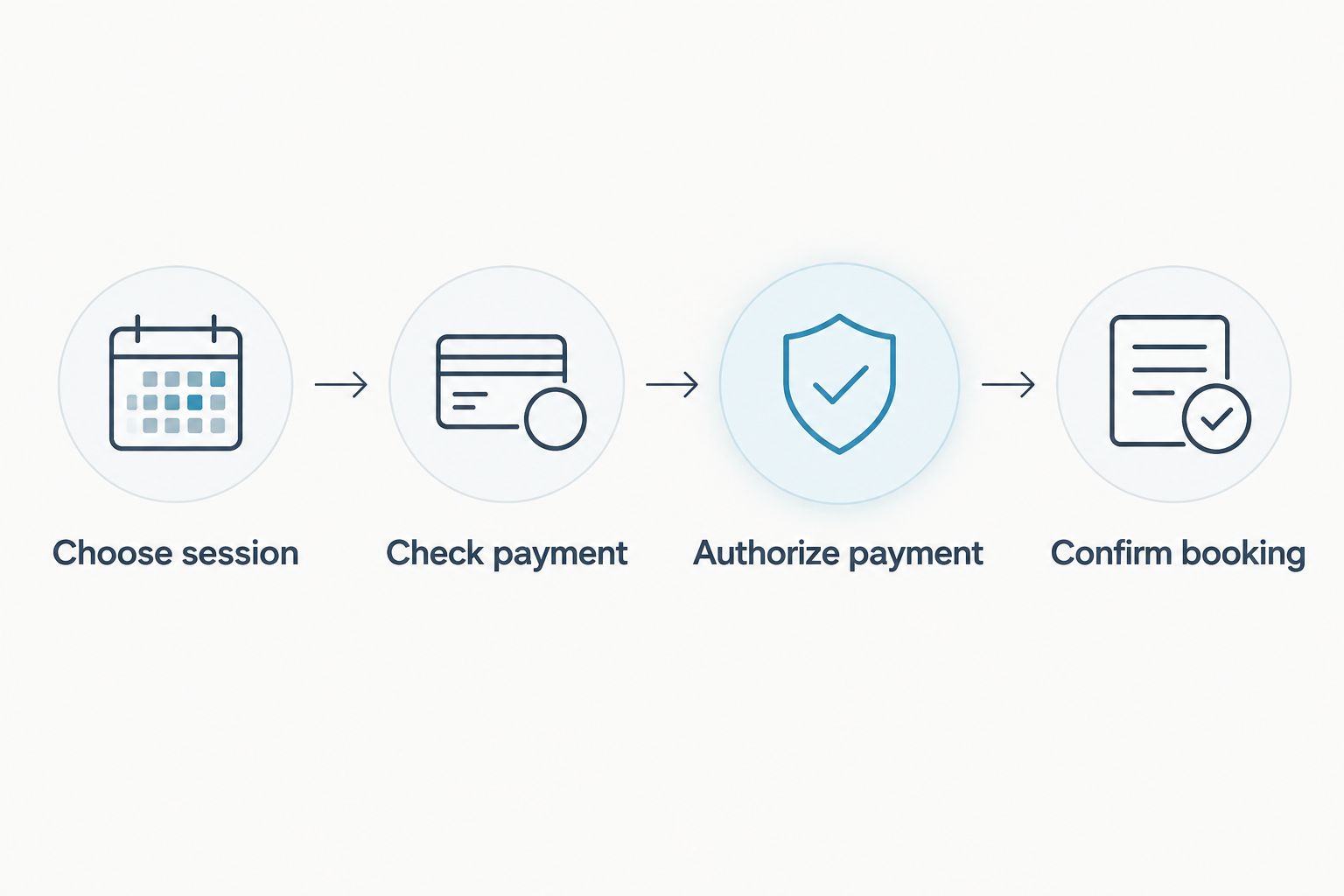
For a 2026 appointment, check the joining instructions when the booking is confirmed and again before the session. Keep payment questions in the support conversation rather than sending wallet screenshots into a therapy discussion.
When someone else pays for your session
A trusted person helping with payment creates a second workflow: the payer authorizes the transaction, while you receive the appointment information. Ask the platform how to arrange this before anyone sends money.
- Confirm the arrangement. Ask whether payment from another person's wallet can be linked to your appointment and what information is required. Do not assume the payer's phone number becomes your booking contact.
- Separate the contact details. Specify which contact method should receive session instructions. Tell the payer only what they need to complete the agreed payment.
- Let the payer authorize privately. The wallet owner should enter their own PIN. Neither you nor the platform needs to collect it in a message.
- Match the reference to your appointment. Follow the platform's instructions for identifying the payment. Then verify that the appointment confirmation reaches you.
- Set a boundary around therapy information. Discuss payment receipts separately from session content. Ask the therapist about confidentiality rather than assuming the person paying receives updates.
Expected result: The payment is attributable to the correct appointment, and you know who receives booking and payment messages.
For parents or guardians arranging support for a teenager, ask about consent, guardian involvement and confidentiality before booking. The payment arrangement does not settle those questions, and requirements depend on the service and applicable rules.
Troubleshooting
Your wallet was debited, but the booking is unconfirmed
Do not pay again immediately. Check your wallet history, retain the reference and ask platform support to match it to the appointment. Give the transaction date and amount without sending your PIN or full wallet history.
Ask support to distinguish between payment acknowledgement and appointment confirmation. You need both resolved before relying on the booking.
The payment request shows an unexpected recipient
Stop before authorization. Compare the request with the current booking instructions and ask for clarification through the platform's established contact route.
Do not accept a new recipient solely because a message says the original payment route is unavailable. Verify the replacement instructions independently.
The wallet request expired or shows failure
Check the wallet transaction history before retrying. If no debit occurred and the request is confirmed as failed, restart through the current booking instructions.
If the status is pending or unclear, contact the payment provider and platform support as appropriate. Do not create overlapping attempts while you are still checking the first transaction.
The payment succeeded, but instructions reached the wrong person
Ask the platform to correct the booking contact and confirm where future instructions will be sent. Explain whether a shared phone or another person's wallet was used.
Avoid forwarding sensitive session messages through the payer as a workaround. Establish a direct contact route you can access privately.
Your connection dropped during authorization
Open your wallet history when you reconnect. Check whether a transaction completed before starting another payment.
If money moved but you cannot confirm its destination or booking status, keep the reference and seek help. Repeatedly refreshing or resending requests does not establish what happened to the original transaction.
Customize your workflow
Make the process easier to repeat without assuming automatic billing or recurring payment features. Keep a private appointment note with the therapist's name, format, date, time zone, payment reference and joining instructions.
After a session, decide whether you want another appointment before making a new payment. Confirm the new total and time rather than copying details from the previous booking.
If your privacy needs change, revisit the contact method as well as the payment route. A wallet you control is helpful, but a booking confirmation arriving on a shared device can still reveal that you arranged therapy.
FAQ
How do I pay for therapy with mobile money?
Choose your appointment, verify its total and recipient, authorize through your wallet and then confirm the booking. Keep the transaction reference and never send your PIN or authorization code to a therapist or support agent.
Can I use Mobile Money for InnerSpark Africa online therapy?
InnerSpark Africa describes Mobile Money and card as payment options for online therapy. Follow the current booking instructions and confirm the payment route for your location before sending money.
How much do InnerSpark Africa therapy sessions cost?
InnerSpark Africa sessions start from UGX 30,000. Confirm the total for your selected appointment and read any payment-provider charge before authorizing the transaction.
Does a mobile money receipt confirm my therapy appointment?
No, a payment receipt alone does not confirm all appointment details. Verify the therapist, date, time zone, session format and joining instructions separately.
Can someone else pay for my therapy session?
Ask the platform to confirm how another person's payment can be matched to your appointment before they pay. Specify who should receive session instructions and discuss confidentiality separately from payment.
What should I do if money leaves my wallet but no booking appears?
Keep the transaction reference and contact platform support before paying again. Check your wallet history and ask support to match the payment to the intended appointment.
Is a mobile money therapy payment completely private?
Do not assume complete privacy: payment notifications and transaction records can be visible to someone who shares your phone or wallet. Ask separately about the therapist's confidentiality practices and use a contact method you control.
Should I reuse payment details from an earlier therapy booking in 2026?
Verify the current payment instructions before every new booking in 2026. Confirm the recipient, appointment total and contact details rather than copying an earlier payment request.
One last thing
The final check is not your wallet balance. It is whether you can answer: Who am I meeting, when am I meeting them, and how do I join?
Keep the receipt, but give equal attention to the appointment confirmation. A successful transfer should lead to a clear next step, not another round of uncertainty.
Related guides
- Online counselling services in Uganda
- Online therapy platforms in Kenya
- Online therapy platforms in Tanzania
When you feel ready, contact InnerSpark Africa on WhatsApp or book a licensed therapist. Ask any payment or confidentiality questions before you authorize the transaction.